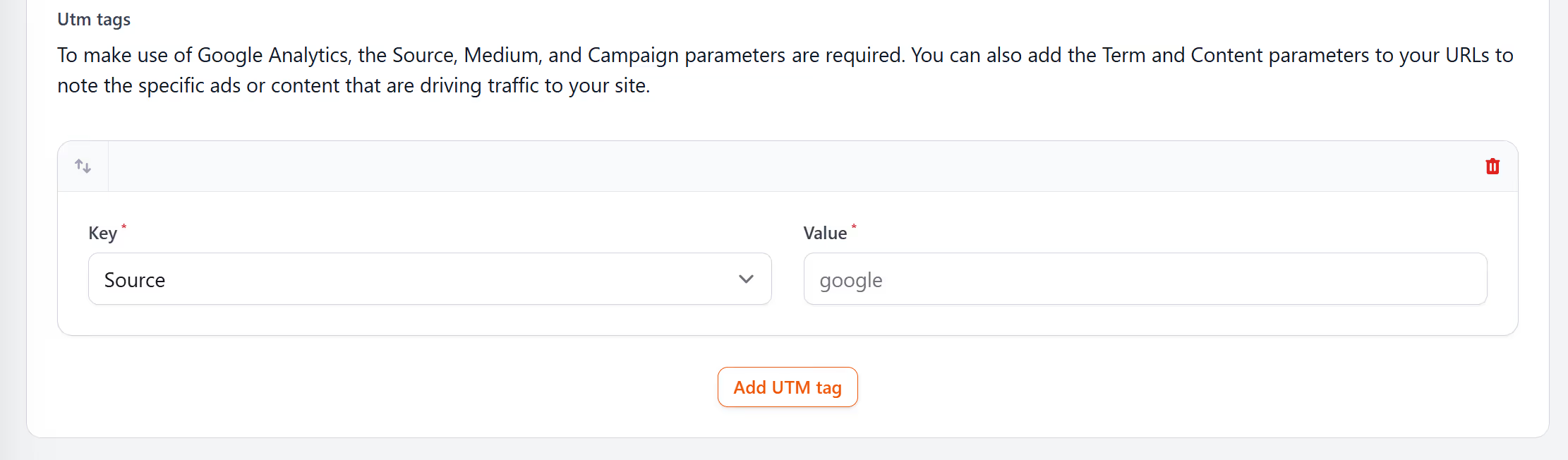
While creating your short link or qr code, you can add UTM tags to each one. Simply chose from the dropdown box "UTM Parameters", and click "Add UTM tag".
You can add as little as many UTM tags as you wish from utm_source, utm_campaign, utm_medium, utm_term and utm_content.
UTM tags help you see where your clicks come from. You can add them to any short link or QR code. It gives you clean data that works with your analytics tools. I think most teams add them as a habit because it takes almost no time and helps you understand what works.
Once logged in, click from links or qr codes, then click "New link" or "New QR code". From there, you can click the dropdown on UTM parameter and apply the value next to the relevant parameters.
Make sure you test your new short links and qr codes before using them.
Now, when ever someone clicks or scan the qr code, these utm tags will be sent to your destination link.
You set the source, medium, and campaign. You can also add content and term if you want more detail. When someone clicks or scans, the UTM tags pass through to your analytics. It shows which channels drive results. The link stays short and clean because the tags sit behind the redirect.
UTM tags help you separate email from social, print from SMS, or paid from organic. You can see which message drove a click. You can also compare performance between teams or regions. It keeps your reporting tidy and makes it easier to spot what needs attention.
You can add UTM tags to short links and QR codes within your LinkShortener.io account. When someone scans, the tags fire as normal. It helps you track print items, packaging, posters, and events. You can treat them like any other channel.
UTM tags help you avoid guesswork. You can see the exact path someone took. This helps you plan your next campaigns because you know what earns attention. It also keeps teams aligned when several people work on the same project.
You can set UTM tags when you create a link or QR code. You can also edit or update them later. It takes a moment. It works well for teams that need simple tracking without complex tools.
Pick your link, add your UTM tags, and save. Your data flows through every time someone clicks or scans. It stays tidy and helps you understand what your audience responds to.