Only your branded short links can be migrated, and you can move them yourself in a few minutes. It takes one small DNS zone record change to send those short links to our servers, and one CSV upload to tell us where each of them goes.
A migration is worth doing when the branded links are already out in the world and cannot be called back: printed on packaging, vehicles or signage, or sitting in email campaigns that went out months ago. Those copies go on working because the domain answering them comes with you. If the short links you use all sit on bit.ly or tinyurl.com, there is nothing here to move, because those endings belong to the shortener rather than to you. Then the route is to build again: new links on a domain of your own, or 20 links or QR codes a month on the free plan's shared domain if branding can wait.
How do I migrate my custom branded url short links to LinkShortener?
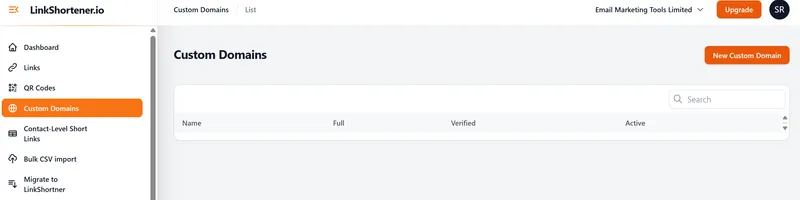
Log in, add your branded domain under Custom Domains and change its DNS zone record to the CNAME the app shows you. Once the domain shows as verified, open Migrate to LinkShortener in the dashboard menu, pick the domain, download the template and upload a CSV with two columns: your existing short link (for example links.example.co.uk/offer) and its destination. A name and tags column are optional.
Every row is checked before anything is made: rows on a different domain, endings that are already in use and duplicates are marked and skipped. Click create and each link is set up with exactly the same ending it had before, so it starts redirecting through LinkShortener.io straight away.
Next steps: no account yet? Register free, move to a plan with a custom domain and migrate from the dashboard. For a very large or very busy domain, talk to us first through our contact page.
Which of my links can be migrated?
Any short link on a domain you control can be migrated; a link on a shortener's shared domain can't. Look at the domain in the link, the part between https:// and the next slash: if your business can change that domain's DNS records, every link under it can be pointed at LinkShortener.io. Our explainer on what a branded short domain is goes into why the domain decides this.
Say a garden centre has used Bitly for three years. Its 400 links on its own short domain (say links.example.co.uk), including the ones printed on seed packets, can all come across because the business owns that domain. Its 60 older bit.ly links can't, so any still in use need replacing with new links on the branded domain, and the places that show them need updating.
What is a sensible link shortener migration strategy?
Have your CSV ready before you change the DNS record, then upload it as soon as the domain shows as verified, so the gap between the switch and your links answering here is a few minutes. Before that, list every short link you still use and sort the list by domain: links on your own domain are the migration, and links on your old provider’s shared domain are a separate job.
Give that separate job its own timetable. Find where each shared-domain link is still printed or posted, such as QR codes on packaging, email signatures and social profiles, and replace each one you still need with a new link on your branded domain once the move is done.
Once the record has changed, open a few of the moved links yourself, including one behind a printed QR code. A test click showing up in that link’s report confirms the domain now answers through LinkShortener.io.