In today's fast-paced digital world, QR codes have become integral to our everyday interactions. These small, square barcodes are more than just a novelty; they are potent tools that bridge the gap between the physical and digital realms. But how do you create these versatile codes? That's where a comprehensive QR code generator comes in.
Whether you're looking for a QR code generator or QR code maker or simply exploring the potential of QR codes, this guide will help you understand the ins and outs of generating and using QR codes effectively.
QR codes (Quick Response codes) are two-dimensional barcodes that can be scanned using smartphones and other devices to access information instantly. They can store various data types, including links, contact information, etc.
A QR code generator is a tool for creating QR codes for various purposes. Whether you want to share a link, contact information, or even Wi-Fi credentials, a QR code generator can help you do it efficiently. There are different types of QR codes, each serving a specific function, making it crucial to choose a generator that offers versatility and ease of use.
A QR code generator is a tool that creates QR codes. These generators allow users to input data, customize designs, and generate QR codes for various purposes.
QR codes come in several types, such as static, dynamic, and customizable. Each type serves different functions, from simple text encoding to advanced tracking and analytics.
A top-notch QR code maker offers extensive customization options. Users can adjust colors, incorporate logos, and choose from design templates to align the QR code with their brand identity.
Modern QR code generators support multiple formats, including links, contact information (vCard), Wi-Fi access points, calendar events, and text messages.
User-friendly interfaces and step-by-step creation processes make it easy for anyone to generate QR codes. Compatibility with various devices ensures seamless functionality across platforms.
QR code generators provide tools to change the color and design of the codes. Users can select from a palette of colors and design elements to make their QR codes visually appealing.
Integrating logos and brand elements into QR codes helps maintain brand consistency and makes the codes easily recognizable.
Users can adjust the size of the QR code and set error correction levels to ensure the code remains scannable even if partially damaged. Formats Supported by QR Code Generators
QR codes can link directly to websites, providing a quick way for users to access online content.
Sharing contact information through a vCard QR code simplifies adding contacts to smartphones.
Wi-Fi QR codes allow users to connect to a network without manually entering credentials.
Event organizers can use QR codes to add events to users’ calendars.
QR codes can also store text messages or predefined SMS, enabling quick communication.
Intuitive interfaces guide users through the QR code creation process, making it accessible even for beginners.
Detailed instructions and a step-by-step approach ensure users can quickly generate QR codes.
A good QR code generator works across different devices, ensuring users can create and scan QR codes on smartphones, tablets, and computers.
Businesses use QR codes in marketing campaigns to drive website traffic, promote products, and enhance customer engagement.
QR codes streamline event management by providing quick access to event details, tickets, and schedules.
Manufacturers incorporate QR codes on packaging to provide consumers with product information, usage instructions, and promotional offers.
Educational institutions use QR codes to share resources, lecture notes, and supplementary materials.
QR codes capture user interest and drive engagement by providing instant access to information.
QR codes enhance the overall user experience by simplifying access to digital content.
QR codes enable quick and efficient information sharing, saving time and effort for both businesses and consumers.
When selecting a QR code maker, consider customization options, supported formats, ease of use, and pricing plans.
Explore the top QR code generators available, comparing their features, pricing, and user reviews to find the best fit for your needs.
You can choose the type of QR code based on your specific needs, such as URL, contact information, or Wi-Fi access.
Customize the QR code design to match your branding, adjusting colors, adding logos, and selecting a suitable template.
Generate and test the QR code across different devices to ensure it works correctly.
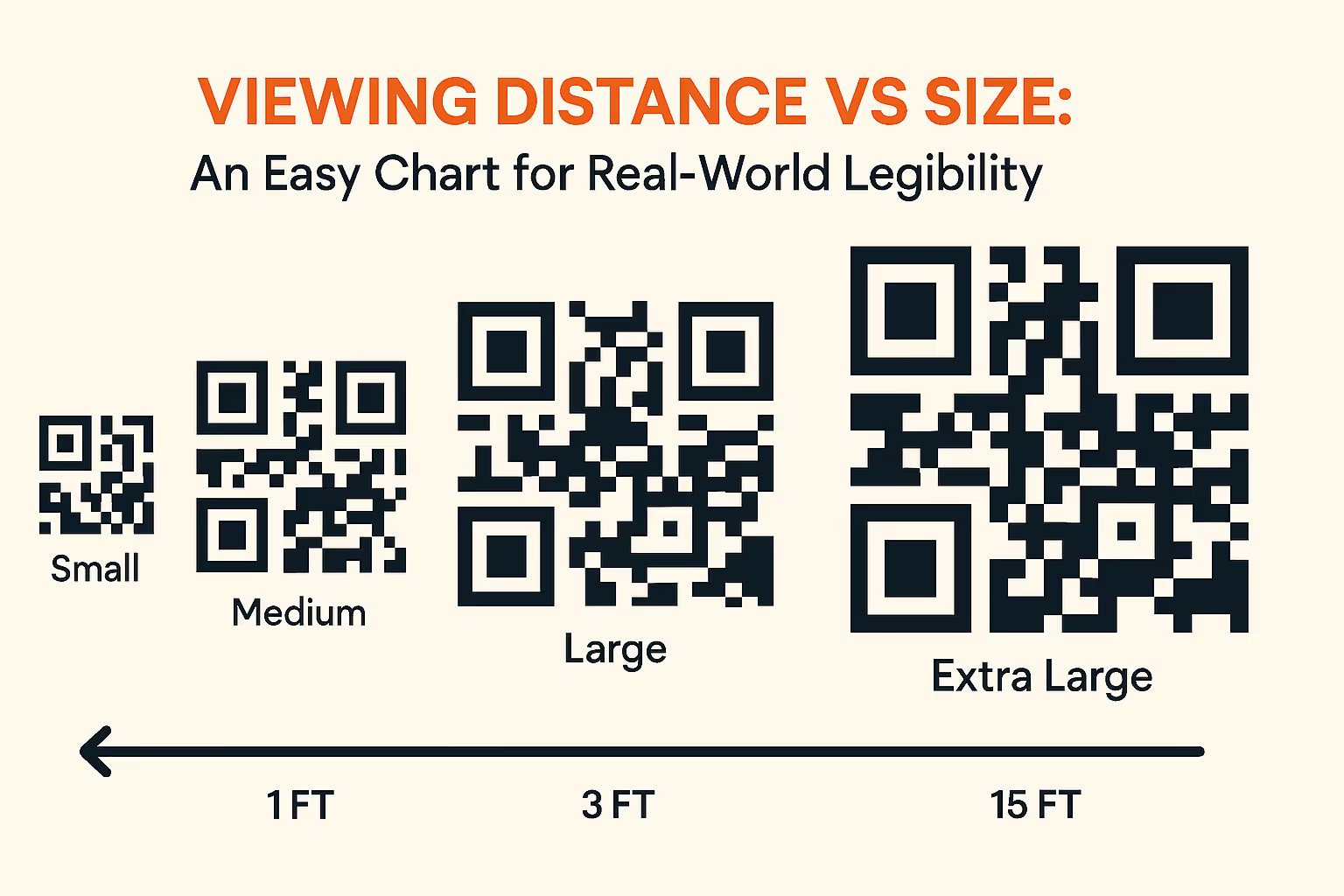
Ensure QR codes are placed in visible and easily accessible locations to maximize scanning opportunities.
Provide clear instructions on scanning the QR code to help unfamiliar users.
Track the performance of your QR codes using analytics to measure engagement and optimize future use.
Protect user data by using secure QR code generators and encrypting sensitive information.
As technology evolves, QR codes are expected to become even more integrated into daily life, with innovations enhancing their functionality and applications.
Stay updated with the latest innovations and trends in QR code technology to leverage new opportunities and applications.
Be aware of potential challenges such as security risks, scanning issues, and user adoption barriers, and plan strategies to mitigate them.
In conclusion, QR codes are a versatile and powerful tool in the digital age. Using a comprehensive QR code generator, you can create customized, functional, and visually appealing QR codes that enhance user engagement and streamline information sharing.
QR codes can last indefinitely as long as the link or data they point to remains active.
Yes, QR codes can be tracked using analytics to measure engagement and usage.
Yes, QR codes are generally safe, but it is essential to use trusted generators and educate users on safe scanning practices.
Yes, QR codes are generally safe, but it is essential to use trusted generators and educate users on safe scanning practices.
Common mistakes include poor placement, low visibility, and lack of user instructions.
Customize your QR code with colors, logos, and design variations to make it visually appealing and aligned with your brand.