NEWBroken Link Checker, on Pro and Elite: we check your short links and QR codes every day and flag any that break.See how it works →Broken Link Checker is here →
Home › YouTube URL Shortener

YouTube URL Shortener

Turn long YouTube (YT) addresses for videos, Shorts, playlists and channels into short links that count every click, then put them wherever you send viewers.

Written by the LinkShortener.io team · Reviewed by Shaun Reynolds, Founder · Last reviewed September 2026

Quick answer

LinkShortener.io is a free YouTube link shortener: paste any YouTube video, Shorts, playlist or channel URL and you get a short, trackable link in seconds. The free plan gives 20 short links or QR codes a month combined, with unlimited click tracking on every one. You need a free account, but no card. Unlike the youtu.be link from YouTube’s Share button, a LinkShortener.io link shows how many people clicked. A branded domain like yt.yourbrand.com starts at $13/month, and editing a link’s destination after you have shared it is on Pro at $34/month.

youtu.be or a LinkShortener.io link?
Taskyoutu.be share linkLinkShortener.io short link
What it can openThe one video it was copied fromAny YouTube address, including a Short, a playlist or a channel page
Whose name is in the linkYouTube’s: youtu.betli.sh for free links; your own, such as yt.yourbrand.com, from Basic ($13/month)
Counting clicksNo count for the link itself; YouTube Studio reports views by traffic sourceEvery click counted, free plan included, with no cap
Swapping in a re-uploaded videoNot possible: it keeps pointing at the old videoChange the destination, on Pro ($34/month) and above
Starting at a set timeTick ‘Start at’ before you copy itShorten an address that includes the time and the time survives the redirect
Getting oneNothing to set up: it sits on the Share buttonFree to sign up, with no card taken

YouTube details checked 14 September 2026.

Why shorten a YouTube link when youtu.be already exists?

Because youtu.be only makes the address shorter. It stays tied to the one video it was copied from and carries YouTube’s name rather than yours, and it has no click count of its own. A short link made with LinkShortener.io keeps a tally of every click and can point at a playlist or a whole channel. From Basic ($13/month) it can also use your own domain.

It also keeps the parts of a YouTube address that matter. Tick ‘Start at’ in the Share box, or add &t=95 to a watch address, then shorten the result: the start time is part of the destination, so it travels through the redirect and the video opens 1 minute 35 seconds in. If you promote the video on Instagram too, our Instagram link shortener guide covers the bio and Story side of it.

How do you share a link from a YouTube Short?

Say it or put it on screen, and expect viewers to type it in. YouTube’s help page on sharing links (checked 14 September 2026) says web addresses in Shorts descriptions and Shorts comments aren’t clickable. Long-form video descriptions and comments are, once the channel has YouTube’s advanced features switched on, and your channel page can show up to 14 links.

A voiceover is heard once, and an address ending in random characters rarely survives a single hearing. On Pro ($34/month) you can pick the ending when you make the link, such as /bench-plans. That ending is fixed from the moment the link exists, so create it before you record. Add your own domain, which every paid plan allows, and what viewers hear becomes yt.yourbrand.com/bench-plans; anyone who types it in is counted just as a click would be.

A channel that posts to a schedule is where this starts changing decisions: put the same short address under upload after upload, or read it out in a voiceover, and the click counts tell you which video actually sent people somewhere, which is what decides the next thing you film. The free allowance keeps pace with that, since 20 short links or QR codes a month covers one per weekly upload and leaves some spare for a pinned comment or a poster. One video sent to a few friends needs none of it, and the plain youtu.be link does that job on its own. Still choosing a tool? Our guide to the best free URL shortener sets six free plans side by side.
Which YouTube address should you paste?

Any of them. For a video, the Copy button in YouTube’s Share box gives a youtu.be address and the browser bar gives a youtube.com/watch?v= one; both open the same video, so both make a working short link. A Short’s Share button copies its youtube.com/shorts/ address, a playlist’s address sits in the browser bar on the playlist page, and a channel’s is youtube.com/@ followed by its handle.

Then choose URL on your LinkShortener.io dashboard, paste the address in and create the link.

Pick QR on that screen instead when the link has to appear on a poster, a product label or inside the video itself. Someone watching on a TV can’t click your description, but they can point a phone at a code sitting in the corner of the frame.

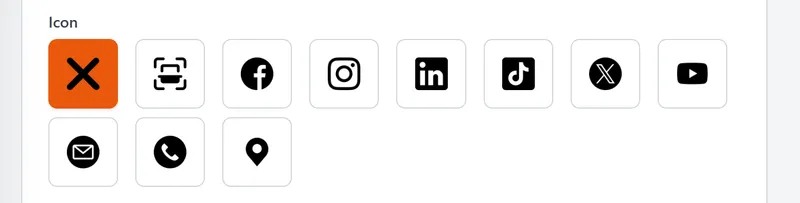
Icon row in the LinkShortener.io QR code designer: none, scan frame, Facebook, Instagram, LinkedIn, TikTok, X and YouTube on the top row, then email, phone and map pin
Centre icons in the QR designer, with YouTube's play button at the end of the top row. Icons are a design option, so they start on Basic ($13/month).

What if your video is blocked in some countries?

Send viewers in those countries somewhere they can watch. A copyright claim or a music licence can make a video unavailable in certain countries, and a youtu.be link has no way round that. On Pro and Elite, a country rule on a short link sends visitors from the countries you choose to a different address, such as a version cleared for that market or your channel page. Anyone who matches no rule opens the link’s main destination.

Description or pinned comment: where should the short link go?

On a long-form video, use both, one short link in each, and the click counts will show which spot your viewers use. YouTube’s tips for video descriptions (read 23 September 2026) say viewers see the first few lines before clicking ‘Show more’ on a computer or ‘more’ on a phone, so put the link in those lines. Its help page on comments (read the same day) says a pinned comment sits at the top of the comments on a computer, but phone viewers must tap to open the comment section first. Pinning also needs the channel’s advanced features.

Tag both links with the same Campaign and a different Content value, such as description and pinned. Google’s guide to campaign URLs (read 23 September 2026) suggests Content for telling two links in one message apart, and notes that values are case sensitive, so GA4 treats youtube and YouTube as two different sources. The short link keeps the source, medium, campaign and content tags out of sight.

The pair takes two slots from the free monthly allowance. Each link’s click report then charts mobile and desktop clicks as separate lines, showing whether the pinned comment earns its place on phones.

Good to know

YouTube URL Shortener FAQs

How do I shorten a YouTube video link?

Sign in to a free account first (no card is taken), then:

  1. Copy the address of the video, Short or channel from the Share button or the browser bar.
  2. Paste it into LinkShortener.io as a new link and create it.
  3. Copy the short link that comes back and drop it into your description, a pinned comment or your channel links.

Free-plan links use tli.sh, and putting them on your own domain takes Basic ($13/month) or above.

Is the YouTube URL shortener free?

Yes. There is no charge and no card to hand over, and a free account can make 20 short links or QR codes each month, split however you like; the clicks they collect are never capped.

Can I shorten a YouTube Shorts or channel link?

Yes. Any YouTube address works: a video, a Short, a playlist, a channel page or a youtu.be link, including one with a start time.

Will the short link still work if I re-upload the video?

Yes, from Pro ($34/month) upwards: edit the link’s destination to the re-uploaded video and every description, comment and QR code carrying that short link will open it. Free and Basic links can’t have their destination changed, so that link keeps opening the original video and the re-upload needs a new short link.

Will the short links in my old video descriptions keep working?

Yes for tli.sh links, which matters on YouTube, where a video from years ago can still be sending people through its description. A tli.sh link never expires and opens the video directly, with no advert first. Because it sits on our shared tli.sh domain, it keeps redirecting even if you upgrade and later cancel, and you can still read its click report years on, provided the account is open. A link on yt.yourbrand.com runs only while you pay for a plan that includes the domain; cancel or go back to Free and it stops, leaving each description that carries one needing a new link.

Is it safe to put a short link in my YouTube description?

Yes. When you create a LinkShortener.io link, the page it opens is checked for malware and phishing, and that check runs again about 2 hours later. A link that gets flagged is switched off, so it stops sending your viewers anywhere. Viewers can only judge a link by what they see, which is where your own domain helps: yt.yourbrand.com tells them the link is yours before they click, from Basic ($13/month).

Can I track how many people clicked my YouTube link?

Yes, on every plan including Free, with no ceiling on the number counted. Open the free click report for the link under a video and it shows the clicks from this week, the number it has had in all, which country each came from, whether people clicked on desktop or mobile, and which hours (UTC) and days were busiest. The figures leave out known bots and crawlers.

What happens when I use up the 20 free links a month?

Any new short link waits until the allowance renews next month. The ones already under your videos keep working and keep counting clicks, with nothing extra charged for them. If you need more YouTube links inside the same month, Basic is $13/month for 350 links or QR codes and Pro is $34/month for 2,000. Compare the plans.

Can I put my YouTube short links on my own domain?

Yes, on the paid plans. A branded domain such as yt.yourbrand.com starts on Basic at $13/month, which includes 1 custom domain; Pro at $34/month allows 3 and Elite at $260/month allows 10. Your YouTube links then show your brand where tli.sh would have been. See custom branded domains.

Can I make a QR code that opens my YouTube video?

Yes. Every scan of it is counted. Before you show a free code on screen, note that it has no watermark across it but does have a small line underneath with the words ‘created by linkshortener.io’, which viewers will see; re-download it once you are on a paid plan and the line disappears. Your own logo and colours can go on the code from Basic ($13/month) in the QR code generator.

Can I choose my own custom ending for a YouTube short link?

Yes. Custom endings come with Pro at $34/month and with Elite, so a link can end in something like new-video rather than random characters. Annual billing brings Pro to $340/year, two months free. See pricing.

Sign up today for free!

Find out how many viewers click the link under your next upload. The free plan counts every one.