Quick answer
A QR code should be printed at least one-tenth of the distance people scan it from, which is the widely used 10:1 rule. A code scanned from 50 cm needs to be at least 5 cm wide, and a poster read from 2 m needs one at least 20 cm wide. LinkShortener.io’s free calculator sizes it instantly by distance.
Type the scanning distance and this free, instant calculator shows how big the QR code needs to be printed. It uses the widely used 10:1 rule of thumb: a QR code scans reliably from up to ten times its own width away.
You get two widths. The minimum divides the distance by 10; the comfortable size divides it by 7, for a code with a logo or a busy design. The distance can go in as metres, centimetres or feet, and both figures change as you type.
The sum suits print rather than screens: on a phone the reader can pinch to zoom, while on paper the width is fixed the moment the order goes in. A cafe putting its code on a table talker is sizing for a 75 cm read, so 7.5 cm of code; an events team printing name badges is working closer in than that; a market trader ordering a banner is working a long way further out. Getting it wrong costs the whole print run, not one sheet.
The calculator needs no account. Turning your own link into a QR code does need a free LinkShortener.io account, with no card asked for and 20 links or QR codes a month between them, and every scan of that code is then counted.
Quick sizes for common placements
A business card read at 30 cm needs a code at least 3 cm wide, and a billboard seen from 20 m needs one 2 m across. Other common placements follow the same one-tenth pattern.
| Placement | Typical scan distance | Minimum size |
|---|---|---|
| Business card | 30 cm | 3 cm |
| Flyer / menu | 50 cm | 5 cm |
| Table talker | 75 cm | 7.5 cm |
| Poster | 2 m | 20 cm |
| Shop window / A-board | 3–5 m | 30–50 cm |
| Billboard | 20 m | 2 m |
Our QR code viewing distance chart explains where businesses go wrong with printed codes, including a first-hand story of a family meal out where the printed code was too small to scan.
Why does the 10:1 rule work, and when is it not enough?
Phone cameras need the code to fill enough of the frame to pick out its grid of small squares. About ten code-widths away is where a simple code still gives them enough to work with. The 10:1 ratio is a practical guideline, not an official standard, so treat the result as a floor.
Go bigger when the code is dense (long URLs make finer grids, which is another reason to encode a short link rather than a long address), when it carries a logo, when its colours are close in tone, when lighting is poor, or when people scan in a hurry or from an angle. That’s what the “comfortable” figure above allows for, and dividing by 7 instead of 10 makes it 43% wider than the minimum.
What size for a bottle label, a market banner or a projected slide?
A bottle label read at 25 cm needs a code at least 2.5 cm wide. A market banner read from 12 feet needs 37 cm. A code on a slide for a back row 15 m away must show 1.5 m wide on the screen. All three are the calculator’s own results, so the same numbers typed above give the same answers.
The label figure comes from entering 25 centimetres. Its comfortable size is 3.6 cm, and that is the one to print: a label curves away from the camera at its edges, which makes a small code harder to read than the same code on a flat card.
For the banner, pick feet and type 12. The comfortable size is 52 cm, and the two results work out at 14.4 and 20.6 inches.
The slide works the same way, except that you measure the code on the projected image rather than in the file. Enter 15 metres and the calculator gives 1.5 m minimum and 2.1 m comfortable. On a screen 4 m wide that is more than a third of the width, so give the code a slide of its own rather than a corner of a busy one.
Three print rules that matter as much as size
Keep the quiet zone: the clear margin around the code sits outside the width the calculator gives. Denso Wave’s sizing guide calls for a blank border four modules wide on all sides, so a code 25 squares across, such as the 21-character short link in the FAQ below, takes up the width of 33, and a 5 cm version of it needs a 6.6 cm clear square. Keep the contrast strong with dark code on a light background, not light-on-dark, which some scanner apps can’t read. Test before printing by scanning a printout at the real distance on both an iPhone and an Android.
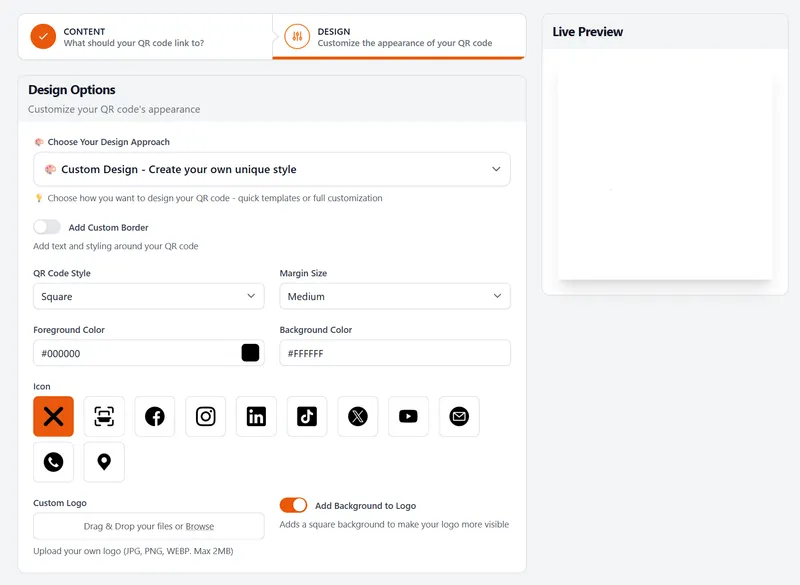
Leave a little space under the code, too. A code from our free QR code generator has no watermark on the pattern, but on the free plan a short line of small text reading “created by linkshortener.io” appears just below it, and your layout needs room for that.
A 2 m banner or a window vinyl is expensive to redo, so decide what the code opens before you order one. Sending a printed code to a new page without reprinting needs Pro ($34 a month) or above. A code that points at a tli.sh short link goes on working after you cancel or drop to Free, whereas one made on your own custom domain stops redirecting once the paid plan ends. If one printed code will be scanned in several countries, country-by-country redirects on Pro and Elite send each scan to a local page, with your main destination as the fallback.
Frequently asked questions
How far away can you scan a QR code?
Up to ten times the code’s printed width, going by the 10:1 rule, so a 5 cm code scans from up to 50 cm away and a 20 cm code from up to 2 m. Poor light, weak contrast or a dense pattern shorten that range, and a bigger code reaches further.
Can I use the calculator in feet and inches?
You can enter the distance in feet from the unit box, but both sizes come back in centimetres or metres. For inches, divide the centimetre figure by 2.54, or use the imperial form of the rule: 1.2 inches of code for every foot of scanning distance.
What's the smallest a QR code can be printed?
For a simple code scanned up close, 2 × 2 cm is a sensible floor, and by the 10:1 rule it reads from up to 20 cm. Many cameras struggle below that size, especially if the code is dense or has a logo.
How can I reduce the size of a QR code?
Encode less. A 21-character short link fits a 25 × 25 grid at error correction level M, as our walk-through of how QR codes are generated works out, while the 50 letters and numbers in Denso Wave’s own example, also at level M, need 29 × 29. Fewer squares across the same width make each square bigger, so a code made from a short link can be printed at the calculator’s minimum, where a long web address with tracking tags calls for the comfortable size. The scan distance still sets the floor: printed smaller than a tenth of that distance, even a simple code gets hard to read.
Does a logo change the size I need?
Yes, a little. A logo covers part of the pattern, which the code’s error correction absorbs, but it uses up some of the safety margin, so print to the comfortable figure rather than the minimum and always test a real printout. LinkShortener.io uses error correction level M for a plain code and level H once a logo or centre icon is added: the higher level carries more recovery data, so the 21-character short link above grows from a 25 × 25 grid to 29 × 29 and each square prints 14% smaller. Putting your logo in a QR code comes with Basic ($13 a month) and above.
Does this calculator store anything?
No. It’s a simple calculation done in your browser. The calculator itself doesn’t send or save the distance you type.