Why shorten the links inside your Linktree?
To get a separate count for every button. Swap the long URL behind a button for a LinkShortener.io short link and every tap on it is counted, on our free plan as well as the paid ones. Visitors still see the same button title as before.
Say your Linktree has four buttons: shop, booking page, newsletter and latest video. That is four short links. The booking page might also sit in an email footer or a Story link sticker (see our Instagram link shortener guide). Give that spot a short link of its own, and the button’s count will only ever mean taps from your Linktree.
Four or five buttons is exactly what the free plan suits: the 20 links or QR codes it allows each month cover that set and leave room to replace one when an offer changes. A page rebuilt from scratch every week fits it less well, because every new button wants a new short link out of the same 20, and at that pace Basic, at $13/month with 350 links or QR codes, is the plan that keeps up.
How to shorten the links in your Linktree
- Create a free LinkShortener.io account. No card is needed and the plan includes 20 links or QR codes a month.
- Paste the long destination URL into the shortener and create the short link. Add UTM tags if you want the click to show up as Linktree traffic in your analytics.
- Copy the short link.
- In Linktree, add or edit a link and paste the short link as the URL. Leave the button title as it is.
- Repeat for each button, then open each link’s report in LinkShortener.io (the next section lists what a free report includes).
Your Linktree looks the same to visitors; each tap now passes through a link you control and can measure.
Does Linktree track clicks?
Yes. Read on 12 November 2026, Linktree’s pricing page lists basic analytics on the Free plan. What it does not give you is a figure per button, which is what a short link behind each one adds. Starter cost $9 a month at our 10 November 2026 check. But a LinkShortener.io short link behind a button counts every tap on every plan, so button-level numbers don’t need a Linktree upgrade.
Each button’s free report gives two totals, this week and all time, then splits the taps by country, by desktop or mobile, and by the hours (UTC) and days they arrive. It leaves out known bots and crawlers. History is kept while your account is open, so a button’s all-time total still includes its very first taps.
Source: Linktree’s pricing page · Free and Starter features read 12 November 2026, the Starter price 10 November 2026.
Can I shorten my Linktree URL itself?
Yes. Your linktr.ee address is an ordinary URL, so LinkShortener.io will shorten it like any other, or turn it into a code with our QR code generator. That helps where people scan or type rather than tap: a shop window, a market stall sign or the back of a business card.
A code used only in print keeps its own scan count, so you can see how often your Linktree is reached from paper. On the free plan the code counts as one of your 20 for the month.
Adding your logo needs Basic at $13/month. Downloads come in two formats on every plan: a PNG for the screen and an SVG the printer can blow up without the edges going soft. Free codes carry a small line naming LinkShortener.io underneath; download the code again after upgrading and it arrives without that line.
Can I use my own domain on the links in my Linktree?
Yes. The Basic plan ($13/month) includes one custom branded domain, so the links behind your Linktree buttons begin with go.yourbrand.com instead of the shared short domain. Pro ($34/month) includes three domains and lets you choose the slug at the end of each link.
Each branded button would need a fresh link pasted into Linktree if the account were ever cancelled or put on Free, as links on your own domain go dead then.
Can I change where a Linktree link goes after sharing?
Yes, on a Pro ($34/month) or Elite account. Edit the destination of the short link in LinkShortener.io and the button in your Linktree keeps working; nothing in Linktree needs to change.
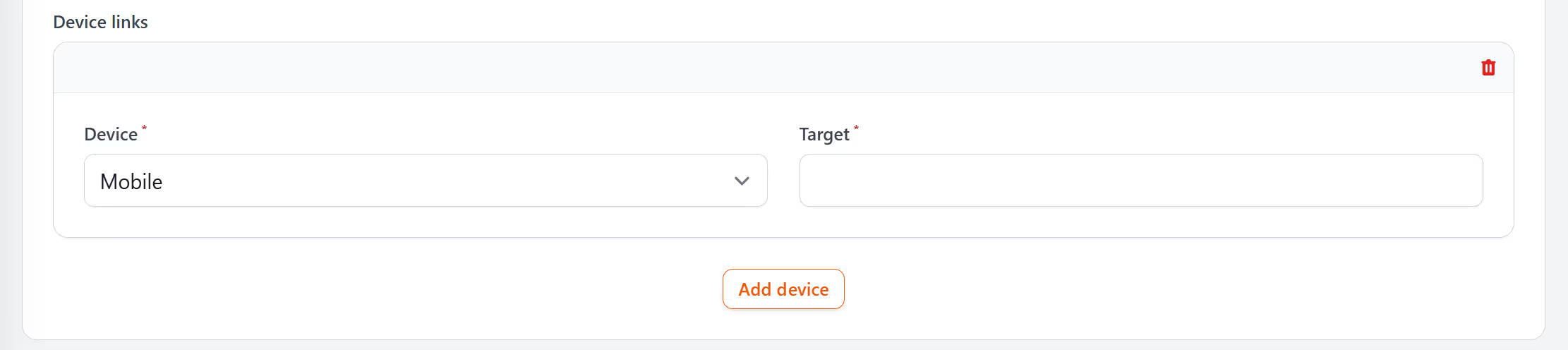
Those two plans can also split one button by device, though only into mobile and desktop: tablets count as mobile, and one mobile rule covers every phone, whichever operating system it runs. A ‘Get our app’ button, for example, can send phones and tablets to a single download page that links to both app stores. With only that mobile rule set, laptop and desktop visitors match nothing and go to the link’s main destination, such as your website.
Thinking of replacing Linktree altogether? LinkShortener.io bio pages come with Basic at $13/month, and you can compare LinkShortener.io as a Linktree alternative.
Linktree’s tr.ee shortener or LinkShortener.io: which fits?
If all you want is a quick short link, Linktree’s own free shortener, tr.ee, may cover it. Its page (read 9 November 2026) says there is no limit on how many links you can shorten, that tr.ee links don’t expire, and that each link shows its clicks, where visitors are, the referrer and the device type.
LinkShortener.io is worth it when these matter to you: links on your own branded domain from Basic ($13 a month), changing where a link goes after you have shared it on Pro and Elite, and one account that holds your QR codes and the links in your emails as well as the links behind your Linktree buttons.