How do I shorten an event registration or Eventbrite link?
Paste the full ticket-page address into LinkShortener.io, whether it belongs to an Eventbrite listing, a booking plugin or a sign-up form; the short link and a QR code for it appear together. If your ticket address ends in tags like ?utm_source=poster, paste it whole; they pass through the redirect untouched, so the poster still shows up as the source in Google Analytics’ Traffic acquisition report.
Eventbrite can give a listing its own custom address in the form YourLink.eventbrite.com. Eventbrite’s help centre advises settling that name before sharing it, and notes that a custom event link can’t be redirected to a different web address (checked September 2026). A short link in front of the listing has no such limit: on Pro ($34 a month) it can later be pointed at any other web address, such as the programme page on your own site.
Give each promotion channel its own link: the invitation email, the LinkedIn post and the poster in reception, each with its own UTM tags and filed in a campaign folder named after the event. A week after the invitations go out, the three counts show which channel is sending people to the ticket page.
Short links earn their place at an event whose artwork is fixed before its programme is. Invitations, stand graphics and room signs go to the printer while rooms, sponsors and start times can all still move. An online-only webinar gains less: nothing goes to print, and the sign-up page can be edited at source on the morning of the session. The free plan’s 20 a month covers a single-room event; a floor of stands passes it before the invitations go out.
Can one printed registration link last from early-bird to next year?
Yes, if the account is on Pro ($34 a month) or Elite, because the destination behind a short link can change while the printed address stays put.
Take a one-day conference that prints go.yourevent.com/register on save-the-date cards in March. The link opens the early-bird ticket page until that closes in May, then standard tickets. When the day sells out in July it opens the waiting-list form rather than a sold-out notice. The morning after, it points at the session recordings, and by October the same cards are selling next year’s tickets.
That is five destinations behind one card, each switch a single edit to the destination. Without Pro, print a link to one page on your own site and update that page yourself as each phase opens.
How do you know the QR code on the stage screen is working?
Open the code’s report on your phone a few minutes after the slide goes up. It does not refresh by itself, so reload the page; once the scans are processed they show in the count and you can tell whether the room is scanning.
A flat count means the code may be too small for the back rows, washed out by the projector or pointing at the wrong page, and there is still time to fix it before the next session. Check the QR code size calculator against the distance to your back row before the slides are final.
When guests do scan, the only sponsors they see are yours: we show no adverts before your page opens, and free-account codes are no exception.
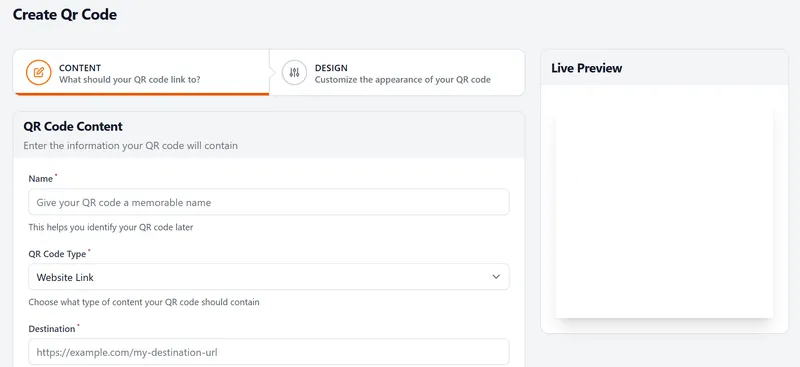
Name each code after its room or stand on the Create QR Code screen below, so it is easy to find in your account. Putting the event logo in the centre of a code needs a paid plan, Basic ($13 a month) or above.