NEWBroken Link Checker, on Pro and Elite: we check your short links and QR codes every day and flag any that break.See how it works →Broken Link Checker is here →
Home › Use Cases › Education

Link Shortener for Education

Students and parents don’t type 90-character portal URLs. Give every worksheet, form and notice a short link they can read off a whiteboard, and you’ll know which ones were actually opened.

Written by the LinkShortener.io team · Reviewed by Shaun Reynolds, Founder · Last reviewed September 2026

Quick answer

A link shortener for education swaps a long portal, Google Form or reading-list address for a short link that a pupil can copy off the whiteboard and a parent can type from a letter, plus a QR code for anything printed. LinkShortener.io costs a school nothing to start: its free plan covers 20 new links each month, with short links and QR codes sharing that number, and the report tallies every click and scan. Basic ($13 a month) puts links on the school’s own address, such as go.yourschool.sch.uk/trip, and Pro ($34 a month) lets staff pick the word after the slash and send an already printed link somewhere new.

What is a school shortcode, and which plan lets you choose it?

In a school’s short link, the shortcode is the word after the slash: trip in go.yourschool.sch.uk/trip. LinkShortener.io generates it for you on the free and Basic plans. Choosing the word yourself is a custom slug, which needs Pro ($34 a month), and the word can’t be swapped after the link exists.

A generated code such as /x7Kq2 is harmless inside a QR code on a worksheet or behind a button in an email to parents. Copied by hand from a whiteboard, it causes trouble: in most handwriting a lower-case l passes for a 1 and a capital O for a 0, and a pupil who swaps one character reaches the wrong page or none at all. A lower-case word like /y9-forces, read out once, is much harder to get wrong. SMS short codes, the short numbers people send texts to, are a separate product that we don’t supply.

What a school’s short link looks like on each plan
PlanExample linkLinks or codes you can create monthly
Free, $0tli.sh/x7Kq2 (shared short domain, generated code)20 in total
Basic, $13 a monthgo.yourschool.sch.uk/x7Kq2 (1 custom domain)350
Pro, $34 a monthgo.yourschool.sch.uk/y9-forces (up to 3 custom domains)2,000
Elite, $260 a monthAs Pro, with up to 10 custom domains5,000

Who has to read the link decides the plan here, more than the size of the school does. A newsletter link each week and a consent form or two a month come to fewer than the 20 a month the free plan allows, so a primary school of that shape pays nothing and enters no card. A link typed off paper, by a parent holding a trip letter, wants the school’s own address in front of it, and that is Basic at $13 a month with 1 custom domain and 350 links a month. Pro at $34 a month belongs to the sixth form or college whose printed codes are pointed at a new page each intake, and whose endings are chosen rather than generated so they survive being read aloud from a whiteboard. A PTA with three links a year needs neither the domain nor the subscription.

A short link’s QR code is made from that same link, so its scans are added to the link’s own report. A parent scanning the code on a trip letter, or a pupil scanning one on a homework sheet, goes straight to the page it points at: no advert or holding page is shown in between, and that applies to free links as well. Adding the school crest to a code is a paid extra that starts with Basic ($13 a month), and Pro adds ready-made QR templates.
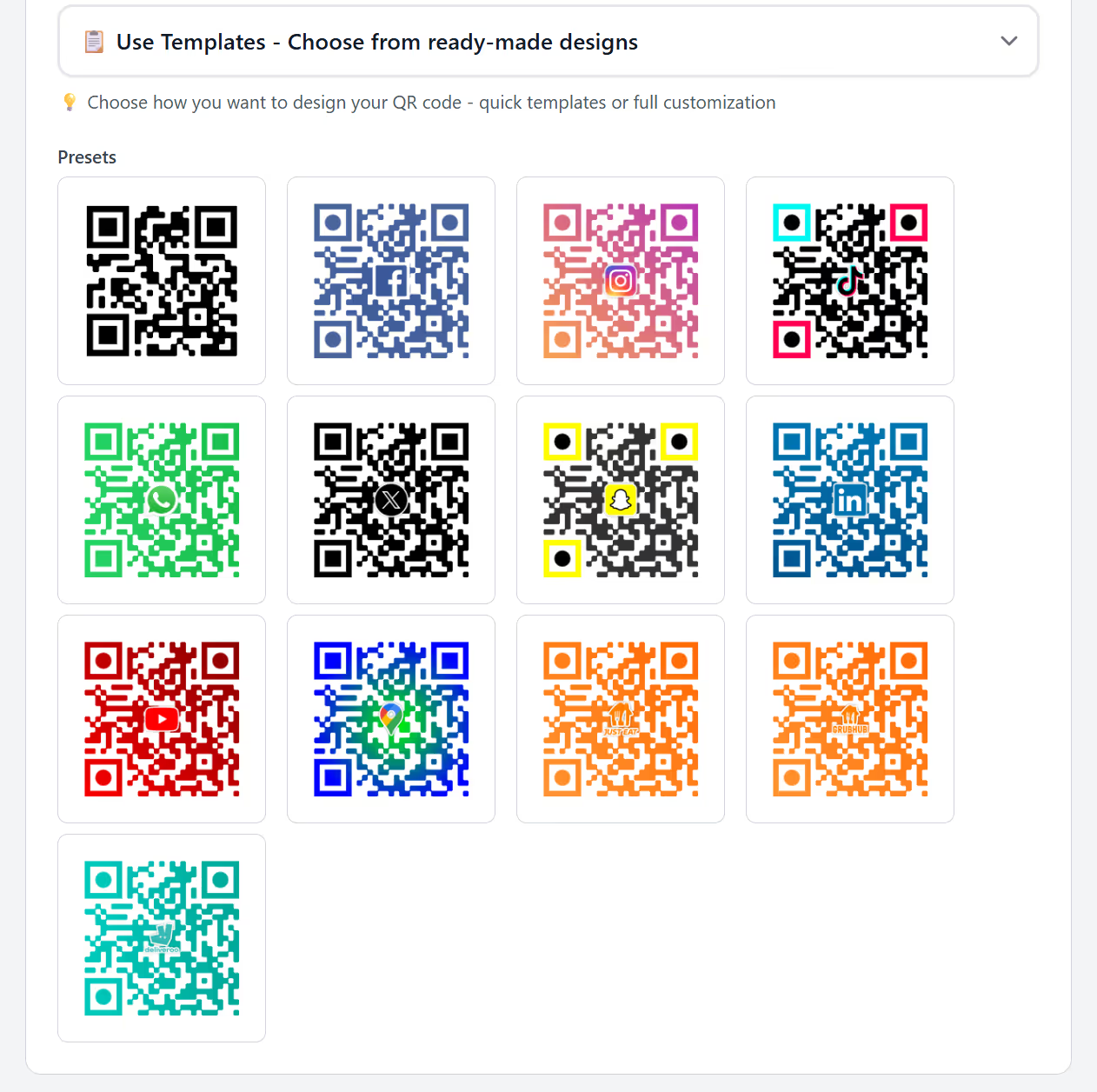
LinkShortener.io QR template picker with preset designs styled for YouTube, Google Maps, Instagram, WhatsApp and plain black
QR templates come with Pro at $34 a month. For a school, the YouTube preset suits a virtual tour, the Google Maps one open-day directions, and the plain black code copes best with a black-and-white photocopier.

Can one printed link take parents to a new parents’ evening each term?

A single printed link can do that, as long as the school has Pro ($34 a month). Say a secondary school prints go.yourschool.sch.uk/parents-evening and its QR code inside the cover of every pupil’s planner in September.

In October the office points it at the Year 7 booking page, in January at Year 11’s and in March at Year 9’s. The planner is printed once, and no parent lands on last term’s page. Two parts of that need Pro: the chosen word parents-evening and changing where a live link goes.

Re-pointing the link doesn’t reset its count, and the school keeps the history while its account stays open, so by July the planner link shows one total for all three booking rounds. If the office wants Year 7’s figure apart from Year 11’s, each round’s letter home needs a link of its own too.

Should a school or university run its own link shortener instead?

Most don’t need to. With a custom domain, links read as the school’s or college’s own short address, such as go.yourschool.sch.uk or go.yourcollege.ac.uk, while LinkShortener.io runs the redirects, the QR codes and the reports. IT has no server to host or patch, and the plans that include a domain start at $13 a month.

Connecting the domain is a DNS task for whoever looks after the school’s records. They add a single CNAME record for the subdomain; the nameservers stay as they are, and nobody hands us a registrar password. The domain isn’t transferred, so it stays registered to the school with renewals handled by its usual registrar, and the https:// version of each link works without anyone requesting a certificate. The steps, screen by screen, are in our custom domain guide.

The catch is the subscription. Links on the school’s own domain work only while a paid plan is in place, so if the school cancels or moves to Free, go.yourschool.sch.uk links and their QR codes stop working, including the ones in prospectuses still sitting in family homes. Links and codes made on tli.sh, the shared short domain, are unaffected. Budget for the plan for as long as anything carrying the school’s domain is in print.

IT will also ask how many links a busy September needs. A Basic account can make 350 a month, a Pro account 2,000 and an Elite account 5,000. Hitting the limit brings no extra charge: new links simply wait until the next month begins, unless the school decides to move up a plan, and links already handed out go on redirecting.

On Pro and Elite, you can also create links in bulk from a CSV file, which suits a university library turning a whole reading list of e-journal addresses into short links at once; the library uploads it through Bulk CSV import in the dashboard, and every imported address comes out of that month’s allowance. For single sign-on through the university’s own identity provider, ask about the Enterprise plan.

What do the clicks tell a school about letters home?

The click report shows how often families open a letter’s link, on which days and at what hours, whether on a mobile or a desktop, and from which country. Even a free account gets a report for each link with this week’s clicks, a running count since day one, a country breakdown, how many opens came from mobiles rather than desktops, and which hours and days are busiest.

The report counts clicks and scans on the link, so the reply form is still where you check which families have answered. Put a short link in a Friday letter and the busiest days show whether parents open it that evening, over the weekend or the night before the slip is due, which tells the office when a reminder is worth sending.

Read the busiest hours with one adjustment, because they are given in UTC. While British Summer Time is in force, from late March to late October, UK clocks are an hour ahead, so a peak marked 18:00 during the summer term or the first half of the autumn term is 7pm at a parent’s kitchen table. The mobile and desktop split helps as well: if a homework link is opened mostly on phones, a task that needs a keyboard may need rethinking.

Universities can put the country breakdown to work in recruitment. Give each overseas recruitment fair its own prospectus link, and each link’s count, with its countries, shows which fairs led to visits to the course pages afterwards.

What can the office do when a letter goes quiet or a trip fills up?

Send a reminder text carrying the same short link, so the letter and the text add to one total. The SMS short link page explains how to fit one into a single text.

If every place on a trip goes before the deadline, the office can point the payment link at a page saying the trip is full; re-pointing needs Pro or Elite.

Term time

In the classroom and the school office

Can a QR code in a revision guide open a video lesson?

Yes. Point the short link at the lesson on YouTube or your school’s own platform and print its code beside the topic. Each topic’s code has its own count, so a department can see which revision videos get opened and which topics nobody scans.

Can a QR code on a worksheet open a Google Form quiz?

Yes. Shorten the form’s share link, then write the short version on the board or print its QR code on the worksheet. Answers still arrive in the form as normal; the short link just records how many times the quiz was opened.

Can several teachers share one account?

Yes: teams are part of Pro, at $34 a month, and Elite. Each colleague is invited to the school’s team by email and signs in with a login of their own, so the whole department works on the same links and QR codes without anyone handing round a password.

Can a college or university choose its own shortcodes?

Yes, on Pro ($34 a month) or Elite ($260 a month). A UK college can print go.yourcollege.ac.uk/clearing, and a US college can do the same on a subdomain of its .edu address. On one domain each shortcode belongs to a single link, so if every faculty wants /open-day, agree a pattern such as /law-open-day and /history-open-day before the prospectus goes to print, because a shortcode can’t be renamed later. Pro includes 3 custom domains and Elite 10, for faculties or partner colleges that want addresses of their own.

Will short links get through the school’s web filter?

That depends on the filter, and some block generic short-link domains outright. Links on the school’s own domain, such as go.yourschool.sch.uk (Basic at $13 a month and up), can be allowed by IT like any other school address, though the page each one opens must be allowed too. Test one on a pupil device before it goes on a worksheet.

Will a Google Drive or OneDrive file open from a short link?

Yes. Shorten the file’s share link like any other address; anything after the question mark, such as ?usp=sharing, reaches the file unchanged. The file’s own sharing settings still decide who gets in, so a pupil or parent without access sees a permissions message. If a file is meant for everyone, open up its sharing before the link goes out.

Can the school’s Instagram bio point to more than one page?

Yes. A link-in-bio page (a Basic feature, $13 a month) turns the one address in the bio into a page of buttons for term dates, the newsletter and admissions. To see how many people tap a particular button, put a short link behind it and read that link’s report.

Will parents with older phones be able to scan the code?

Most can. iPhones have read QR codes in the Camera app since iOS 11 in 2017, and most recent Android phones do the same, while some older Android handsets need Google Lens or a scanner app. Print the short link beside every code so a parent who can’t scan can type it.

Can a letter home include a tap-to-call link for the absence line?

Yes. Phone short links belong to Pro ($34 a month) and Elite, and one opens the dialler with the absence line’s number already filled in; every tap is counted. The count tells you how often parents tapped it, not whether a call was made.

Can we password protect a staff-only link or close a consent form after the deadline?

Yes. On Pro and above a link can ask for a password, and from Basic it can carry an expiry date that sends late clicks to a page saying replies have closed. For anything confidential, still keep staff-only resources behind the school’s own sign-in, such as Google Workspace or Microsoft 365, with access limited to staff accounts, so the link opens nothing for a pupil who copies it. Once a trip payment or consent deadline passes, Pro and Elite accounts can re-point the link at a note saying replies have closed. Close the form itself on the same day, because anyone who already has it open, or saved its full address, can still send a reply.

Sign up today for free!

Make the short link for next week’s worksheet today: the free plan asks for no card and lets a teacher make up to 20 links or codes each month.