Doesn’t LinkedIn already shorten links?
Inside a post, yes. LinkedIn’s help article Short URLs in shared posts (checked 13 September 2026) says a link longer than 26 characters is shortened automatically once you click Post. Those are the lnkd.in addresses you see in the feed, and the swap stays on LinkedIn: it does nothing for the address printed on your CV, typed into your email signature or hidden inside the QR code on a conference badge.
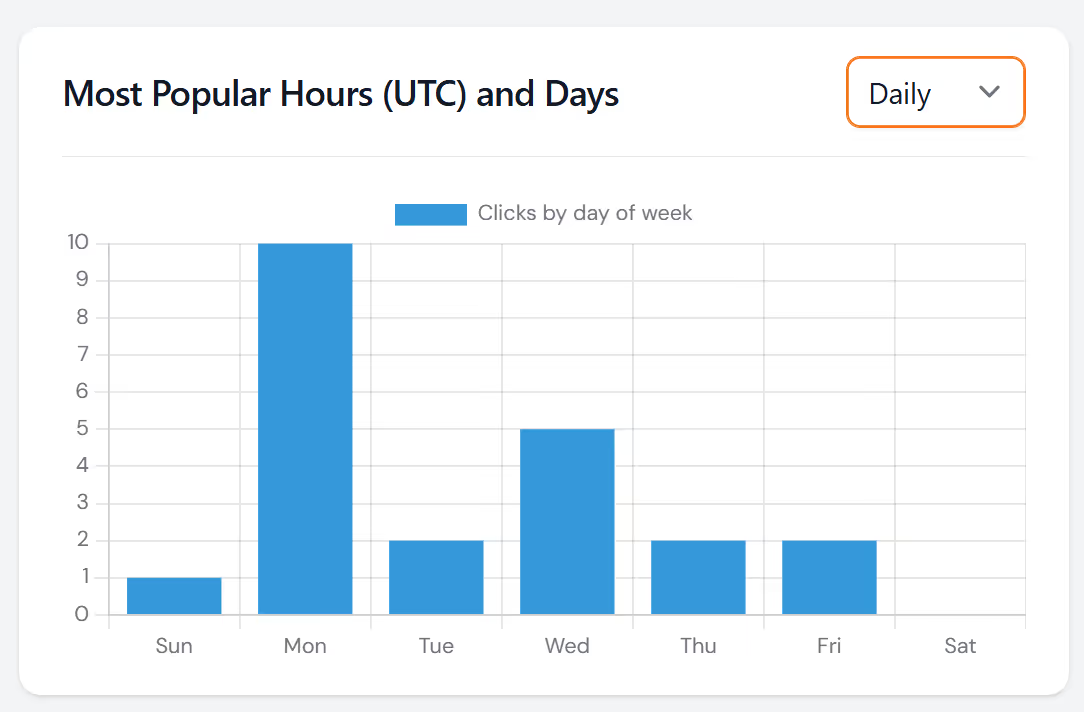
A LinkedIn URL shortener covers those places and reports back. Make one short link for your CV and another for your signature, point both at your profile, and the free LinkShortener.io click report shows which of the two gets opened more, and from where. Clicks stay on record while your account remains open, so a job search that runs from spring to autumn can be reviewed in full at the end.
The same LinkedIn article adds a posting tip: share an article with no text after the link and LinkedIn hides the URL from the post, so write something after your short link if you want readers to see it.
Basic ($13 a month) is where three extras begin: your own branded domain, a digital business card page and a logo on your QR code.
The people who need this are the ones whose LinkedIn address gets printed or pasted where LinkedIn cannot reach it: a candidate handing out a paper CV, a speaker whose conference badge carries a QR code, a recruiter running two job-advert links at once to see which draws more clicks. One free account covers all three, because the 20 a month counts links and QR codes together. If your links never leave the feed, none of this is needed and the 26-character swap does the job on its own.