How do you use short links with each platform?
Here is one worked example per platform: sharing a Mailchimp newsletter again after it has gone out, counting taps on a phone button in an ActiveCampaign email, and keeping analytics tags on a GetResponse landing-page link.
Mailchimp: two short links for one sent newsletter
Your monthly newsletter went out on Tuesday, and on Wednesday you want to share it again: once in a LinkedIn post and once in a text to customers who don't subscribe. Pick the campaign from the table and shorten its online version for LinkedIn. For the text, add its own utm_source tag to the same online-version address and shorten that, so each channel has a separate short link.
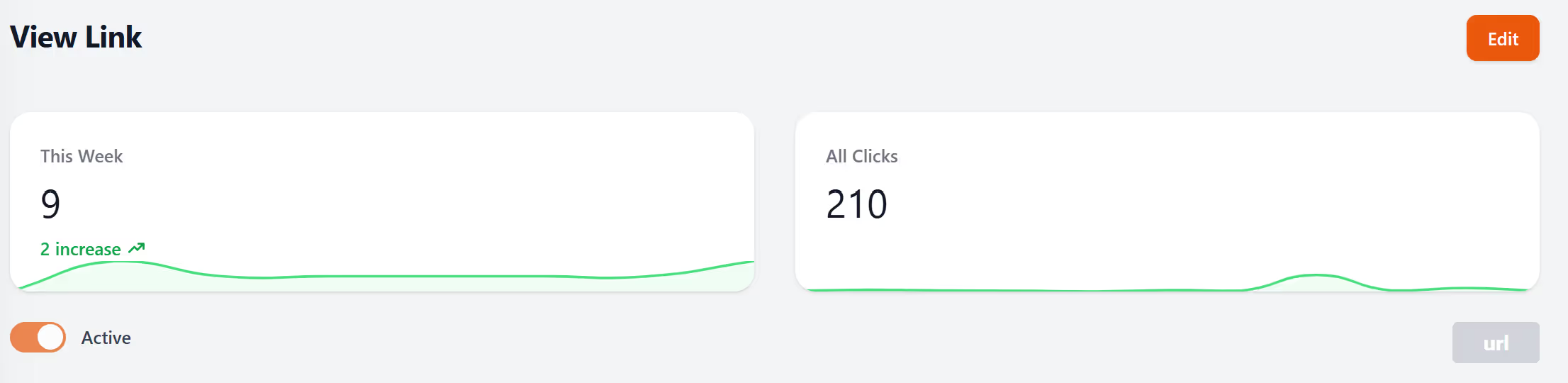
Each link has its own report, and on the free plan that report shows this week's clicks, total clicks, clicks by country, desktop vs mobile clicks, and the most popular hours (UTC) and days. Put the two reports side by side and you can see which channel brought more clicks. The Mailchimp link shortener page walks through connecting your account.
ActiveCampaign: a phone button whose taps you can count
Picture a renewal reminder with a “Call us” button. On Pro ($34 a month) and Elite, that button can carry a LinkShortener.io short link to your phone number instead of the bare number, so each tap is counted before the reader’s phone dialler opens. Email-address links work the same way and open the reader’s email app. Either kind goes into an ActiveCampaign email or text message just like a web link, and the ActiveCampaign integration page covers both uses.
GetResponse: a tagged landing-page link that keeps its tags
When a GetResponse email points to a landing page and you want Google Analytics to credit that email, tag the page address first (our free UTM builder writes the tagged address for you), then shorten the whole tagged address. The tags survive the redirect and reach the landing page unchanged, and the short link keeps its own click count alongside your analytics. The GetResponse integration page explains using short links in GetResponse emails and SMS.
Do you need a paid plan to use an integration?
No, a free account is enough for all three. When the month’s free allowance is used up, links already in sent emails keep redirecting, new ones wait for next month unless you choose to upgrade, and there are no overage charges.
A paid plan lets you put your links on a different address. Free links use our shared tli.sh domain; from Basic ($13 a month) they can use your own custom domain. For email that choice lasts, because a newsletter can stay in an inbox for years: links on the shared tli.sh domain keep working if you later cancel or drop to Free, but links on your own custom domain stop working.
Before you connect your email platform
Which email platforms can I connect?
Mailchimp is the only one that connects to your account. ActiveCampaign and GetResponse are integrations you use by pasting short links from your dashboard into their emails and texts. Constant Contact and MailerLite are not connected to LinkShortener.io; if you send from one of those, create the short link in your LinkShortener.io dashboard, paste it into the email yourself, and its clicks are still counted.
Where can I find a URL shortener that integrates with email marketing tools?
LinkShortener.io is listed in the integration directories of Mailchimp, ActiveCampaign and GetResponse, and all three work on its free plan, which includes 20 new links or QR codes each month. From our app you sign in to Mailchimp, and your sent campaigns then appear there, ready to shorten. For ActiveCampaign or GetResponse, copy a short link from your dashboard into the email; each click shows in that link's report.
Is there a LinkShortener.io API or a Zapier connection?
No. There is no public API, and a Zapier connection is still to come. There are no CRM, social-media or post-scheduling integrations either, although a short link copied from your dashboard works in a scheduling tool like any other web address. If you need to add a large batch of links before then, Pro and Elite accounts can ask our team to import links from a CSV file, using a short request form in the dashboard.
Do the integrations change my existing campaigns?
No. The Mailchimp integration reads your sent campaigns so you can create short links from them. Your templates, automations, and subscriber lists stay exactly as they are, and you simply gain short links whose clicks you can see in LinkShortener.io.
Can I track short links that my email platform ignores?
Yes. Once the online version of a newsletter is posted on social media or passed on in a message, those visits sit outside your email platform's campaign report. A short link counts its own clicks wherever it is shared, so you can measure engagement your platform alone cannot attribute.