Nothing says "on brand" for a QR code then your own logo to the center. Yes you can add styling options like colours, borders, but adding a logo creating a truly on brand campaign.
Are your qr codes not on brand? Why not try adding your logo to the centre of your QR codes? Customers will instantly recognise your brand. It sits in the centre of the qr code so it stands right out! I think customers trust a scan more when they can see who it comes from. It also makes your print and packaging look more put together.
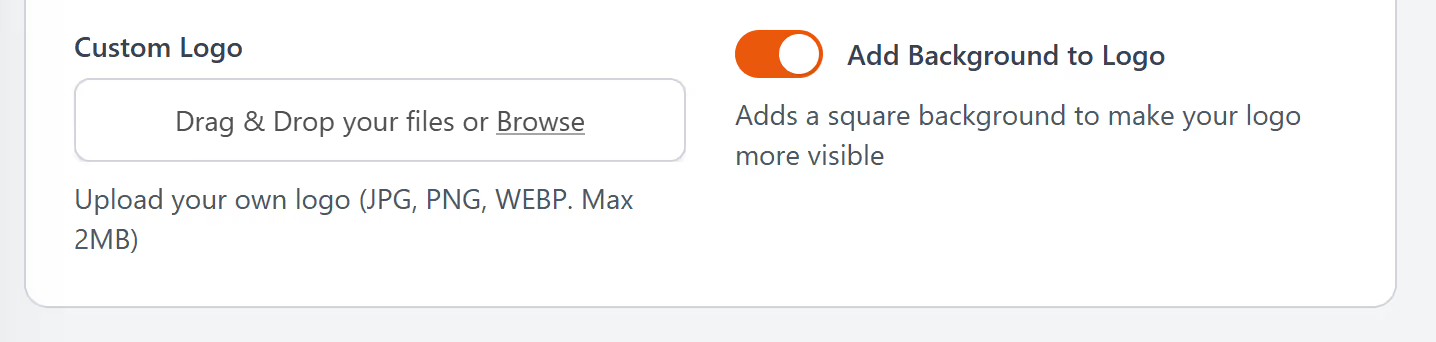
Adding logos to the centre of your QR code is super easy, when logged in and creating the QR code, scroll the section "upload logo" and you will be able to browse your device, upload. The preview won't update at this stage with your logo, but will appear once created.
Once you are logged in, simply click on create qr code, enter campaign details about the qr code, then on page 2 click “upload image”. From here, you can upload your logo, and our qr code generator will place your logo in the centre. It takes a few seconds. The code stays fully scannable because the system protects the areas that matter. You get a clean design that still scans fast on mobile.
A logo makes your QR code stand out. People see your brand first, not a plain pattern. It helps in stores, events, menus, posters, and packaging. It also works well online when you want something that feels branded and not generic.
You can adjust the size, add a background, or upload a version that fits your colours. This gives you enough control to match your look without making things complicated.
A logo reassures people that the QR code is yours. It cuts any hesitation before they scan. This can help scan rates, especially in busy places where people decide quickly. A clear logo gives them confidence.
You can add a logo to any QR code you create. Product pages. Menus. Social links. Forms. It keeps everything consistent. You can also reuse the same design across teams and regions so your brand stays aligned.
Open an account with LinkShortener.io today, choose the correct plan, create a qr code and upload your logo. It will then be dropped into the centre of your QR code. Save, download and you are good to go. Try it, It only takes a moment. You get a QR code that looks like it belongs to you.