You add a logo to a QR code by centring it on a code made at error-correction level H, small enough for a phone to rebuild the modules it hides; a fifth to a quarter of the code’s width is comfortable. Cover a corner square, or let the logo grow too big, and the code stops scanning.
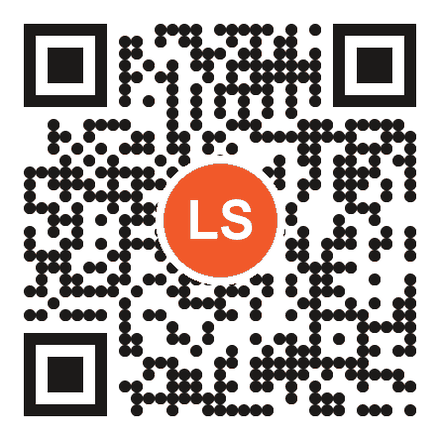
Why does a QR code with a logo in the middle still scan?
A QR code with a logo in the middle still scans because every code carries error correction: spare data that lets the scanner rebuild modules that are missing or covered. ISO/IEC 18004, the QR code standard (edition 4, August 2024), sets four levels with nominal recovery rates of 7% (L), 15% (M), 25% (Q) and 30% (H) of the code’s codewords, the same figures as Denso Wave’s error-correction table.
A scanner finds and orients the code by its three corner squares, the ‘finder patterns’. They sit at the edges, so a logo in the middle leaves them clear; how QR codes are generated goes deeper into the spare data.
How big can a logo be in a QR code?
Keep your logo in the centre and well under 30% of the code’s area. Keeping it to 20% leaves room for scuffs and glare once the code is printed, and no part of the logo should reach a corner square.
The limit is measured by area, not width, and area shrinks fast: a logo a quarter as wide as the code covers only 6.25% of it. On a 3 cm code, that is a 7.5 mm logo.
| Logo width (share of the code’s width) | Area covered |
|---|---|
| 20% | 4% |
| 25% | 6.25% |
| 40% | 16% |
| 50% | 25%, close to the limit |
| 55% | 30.25%: all of level H, nothing left for wear |
A backing square counts too: with Add Background to Logo switched on in LinkShortener.io, measure the square against the table, not the artwork inside it.
Here is the sum on a real code, the 31-character branded link https://go.yourbrand.com/Xy7pQ2 (domain and ending are placeholders). At level H it needs version 4: a grid of 33 by 33 modules, 1,089 in all, with 64 of its 100 codewords set aside for error correction. A logo a quarter of the code’s width is 8.25 modules across and covers the space of 68 modules: the 6.25% in the table. Each codeword is 8 modules laid out in two-module-wide columns, so the logo’s edges clip codewords it only partly hides, and every clipped codeword counts as a whole error; that is why the 30% budget is never all yours to spend.
Print size decides whether a logo is worth adding at all. A poster read from a metre needs 14 cm of width once a logo sits in the middle, and a quarter-width logo on that code is 3.5 cm across, big enough to read as your brand from where people stand. A business card code is 2 cm, so the same proportion leaves a 5 mm logo: too small to recognise, and still eating into the error correction a printed code needs for wear. Settle the printed width first, prove a plain code scans at it, then bring the logo in last.
Step by step: adding your logo
- Create your QR code at error-correction level H (automatic in LinkShortener.io once a logo is added).
- Upload your logo.
- Keep it centred and scaled to between a fifth and a quarter of the width.
- Leave a little clear padding around the logo so it doesn’t touch the code’s data.
- Keep the quiet zone, which is the empty margin around the whole code.
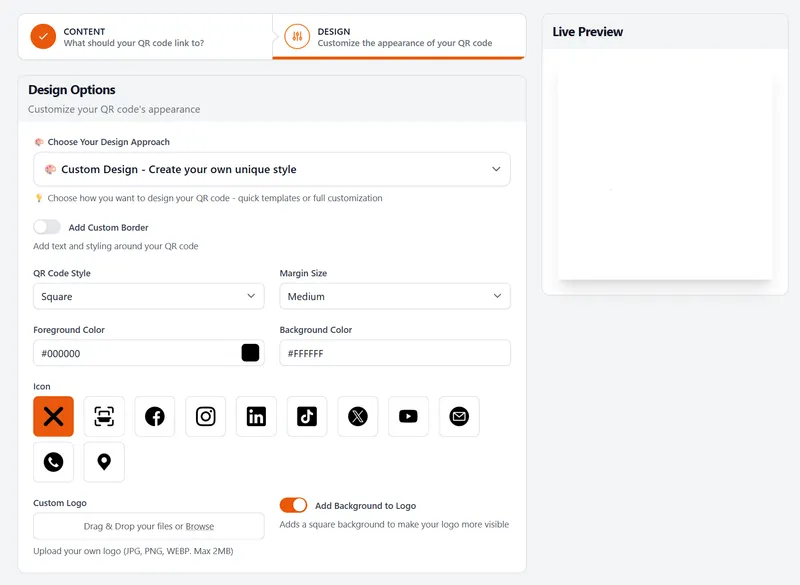
To add a logo to a QR code in LinkShortener.io, enter the link on the Content step, then upload the logo on the Design step. That screen, shown below, has no error-correction setting because the app handles it: plain codes stay at level M, and the level rises to H as soon as a logo or centre icon goes in. Logo size and a printed test are still up to you.
Choosing colours that keep the contrast scannable
Scanners read QR codes as dark-on-light. Keep strong contrast: a dark code on a light background is safest. You can brand the colours (see the styling options), but never invert to light-on-dark unless you test it, and avoid low-contrast pairings (like mid-grey on white). If in doubt, darker code, lighter background.
Watch the logo’s own edge too: dark artwork touching dark modules blends into the pattern, which is what the padding in step 4 prevents.
Do you have to pay to put a logo on a QR code?
On LinkShortener.io, yes: logo upload is part of Basic, $13 a month. Other generators may add a logo at no cost, but they usually make static codes, which hold your page’s full address. A static code works while that page exists, yet the tool that made it can’t count its scans, and the address can’t change without a reprint.
To test a code you already have, scan it: if your phone shows the page’s full address rather than a short link, it is static. A logo code made here is dynamic, so its scans are counted, uncapped; the QR code generator with logo page lists what each plan adds.
Static vs dynamic codes when your logo changes
A new logo means new prints either way, because the logo is part of the artwork. A dynamic code can still save the web address: if the rebrand moves your website too, printed codes can be sent to the new site while new prints are made. On LinkShortener.io that needs Pro ($34 a month) or Elite.
A static code keeps sending people to the old address. On Basic, where logos start, a code’s destination is fixed when you make it, so check the address before the print run.
Testing before you print
Always test the printed proof, not just the screen. Scan it with two different phones, in the real lighting, at the real size and distance people will use.
In a restaurant, real lighting may mean candles and glare off a laminated table card, and one of our other QR code articles covers designing for exactly that. Check our size vs distance chart so the code is big enough to scan from where it will be seen. Five minutes of testing saves a whole print run.
While you scan the proof, read the address your phone shows. A tli.sh address still scans after a later cancellation or downgrade; one on your own custom domain stops if you cancel or move to Free, taking every printed copy with it. Our guide to whether QR codes expire lists the other reasons a printed code stops.
If you made test codes on the free plan, keep those files away from the printer. Free-plan codes have no watermark on the pattern but carry a small ‘created by linkshortener.io’ line underneath; a fresh download on a paid plan leaves it off. Whichever plan you are on, save that final file as an SVG so it stays sharp at any print size.