Quick answer
A QR code is generated by converting your text or URL into binary, adding Reed-Solomon error-correction data and plotting the bits as black and white squares under ISO/IEC 18004: 4 encoding modes, 4 correction levels, 40 sizes. The LinkShortener.io QR code generator puts a tracked short link in every code, with 20 links or QR codes a month free.
A QR code is generated by taking a piece of text (usually a web address), converting it into binary, adding mathematical error-correction data alongside it, and plotting the result as a grid of black and white squares following a published standard. A generator does this in a fraction of a second: you type a URL, it runs the encoding, and it returns an image. Every QR code you have ever scanned is that same process applied to different text.
Nothing in the pattern is random. Every square, properly a module, is placed deliberately, and a scanner simply reverses the process.
QR Code is a registered trademark of DENSO WAVE INCORPORATED, which released the format in 1994; the car industry then adopted it for electronic Kanban in production management, as Denso Wave's history of the QR code records. ISO approved it as an international standard (ISO/IEC 18004) in 2000, and Denso Wave chose not to exercise its patent rights, so anyone can build a generator or reader.
How is a QR code made? The six stages in order
Any generator that follows ISO/IEC 18004 runs the same sequence:
- Pick the encoding mode for the text.
- Encode it: mode indicator, character count and data bits, then pad bytes to fill the chosen version, cut into 8-bit codewords.
- Add Reed–Solomon codewords block by block, interleaving the blocks where there are several.
- Place the modules: fixed patterns first, then the data in two-module-wide columns that snake up and down from the bottom-right corner.
- Apply the best of eight masks.
- Write the format information (correction level and mask) beside the finders, plus version information from version 7.
Take a 21-character short link, https://tli.sh/AbC123 (the ending is invented), at level M; we checked every figure with the open-source Python qrcode library. Byte mode spends 4 bits on the mode and 8 on the character count, and the 21 characters add 168 more, 180 bits in all. Version 1 at level M holds just 16 data codewords, so the generator steps up to version 2, which holds 28.
A 4-bit terminator makes exactly 23 codewords, five pad codewords fill the gap, and 16 Reed–Solomon codewords follow. Those 44 codewords (352 bits) and 7 remainder bits fill all 359 data modules of the 25×25 grid. At level H the same link needs version 3 (29×29), with 44 error-correction codewords in two interleaved blocks.
What data does a QR code actually contain?
A QR code stores a string of characters. It is not an image, not a file and not a database record.
What makes a code do something is convention. Text beginning https:// prompts the phone to open a browser; WIFI: triggers a network join, BEGIN:VCARD a contact card, tel: a phone number, mailto: an email draft. The camera app interprets the prefix, which is why a QR code cannot contain a PDF or a video, only the address where that file lives.
The four encoding modes
Before anything is drawn, the generator picks the most efficient way to turn your characters into bits. The standard defines four modes:
- Numeric accepts digits 0–9 only. It is the densest mode, packing three digits into 10 bits.
- Alphanumeric covers digits, uppercase A–Z, space and eight symbols (
$ % * + - . / :), 45 characters in all. It packs two characters into 11 bits. - Byte handles any 8-bit character, typically Latin-1 or UTF-8, at eight bits each. Most URLs and free text use this.
- Kanji stores Japanese Shift JIS characters at 13 bits each, more compact than encoding them as bytes.
The generator picks whichever is most efficient, and can switch modes mid-string.
Error correction: why QR codes survive scratches, rain and logos
Once your data is in bits, the generator appends error-correction codewords calculated with Reed–Solomon mathematics. These are extra bits derived from your data that let a reader reconstruct the original even when part of the symbol is unreadable.
You choose one of four levels:
| Level | Approximate data recovery |
|---|---|
| L (Low) | ~7% |
| M (Medium) | ~15% |
| Q (Quartile) | ~25% |
| H (High) | ~30% |
The trade-off is straightforward: higher correction means more redundant data, so either a larger code or the same size with much smaller squares. Tiny modules are harder to resolve and print cleanly. L suits a clean screen, M general print, and Q or H scuffed packaging, outdoor signage, or any code carrying a logo.
The patterns you can see, and what each does
Every QR code contains fixed structures called function patterns, so a camera can find and read the symbol from any angle.
Finder patterns
The three large concentric squares in the corners are the finder patterns. Their genius is the ratio: a line through the centre of one crosses dark and light bands at 1:1:3:1:1 in any direction. That sequence is rare in ordinary photographs, so a scanner can sweep an image for it quickly.
Three corners rather than four is deliberate. The empty fourth corner tells the reader which way up the code is, so it decodes whether scanned upright, sideways or upside down.
Timing patterns
A single row and column of alternating dark and light modules run between the finder patterns, establishing the grid: how wide one module is, and where each row and column falls, even if the image is slightly stretched.
Alignment patterns
From version 2 upwards, smaller concentric squares appear inside the symbol, and larger codes carry more. They correct distortion: a code on a curved bottle or photographed at an angle is warped, and alignment patterns give the decoder fixed points to un-warp against.
The quiet zone
The blank margin around a QR code is part of the code, and the standard calls for at least four modules of clear space on all sides. Without it, a scanner cannot tell where the symbol ends and surrounding artwork begins, which is a common reason a perfectly valid code fails to scan.
Version and size: why some codes look denser
QR codes come in 40 sizes, called versions. Version 1 is a 21×21 grid; each step adds four modules per side, so version 40 is 177×177.
You don't choose the version. Your data does. The generator picks the smallest version that fits your content plus its error-correction overhead, so more characters or a higher correction level means a busier code. That is why shortening a URL before generating produces a visibly simpler pattern.
Masking: why the pattern looks scrambled
Plotted directly, raw encoded data could produce large blank areas, wide stripes, or accidental shapes resembling the finder patterns, all of which confuse a decoder.
To prevent that, the generator applies a mask: one of eight fixed formulas that flips selected modules in the data area, never in the function patterns. It tries all eight, scoring each against penalty rules that punish long runs of one colour, false finder-like sequences and a skewed dark-to-light ratio, then keeps the best.
Which mask was used is recorded, with the error-correction level, in the format information beside the finder patterns; the reader reads that first, un-masks, then decodes. Every QR code looks pleasantly random because it was engineered to.
Static vs dynamic QR codes
Static versus dynamic is the most important practical distinction, and it has nothing to do with how the modules are drawn.
A static QR code encodes your destination directly: if it points to https://example.com/summer-sale, those characters are baked into the pattern, and no server of yours is involved when someone scans it. It works indefinitely without a service behind it, but it can never be changed, and you cannot count scans.
A dynamic QR code encodes a short redirect URL instead. The scan hits that redirect, which forwards the visitor onwards. Because the request passes through your server, you can edit the destination at any time without reprinting anything, and every scan can be counted.
Under the bonnet, a dynamic QR code is a link shortener with a code drawn around it. That is also why dynamic codes are less dense than static ones carrying long campaign URLs.
Reach for a static code when the label is a one-off and its address will never move, since nothing then has to stay online behind it. Reach for a dynamic one when the destination might have to change after printing, or when the scans have to be counted; a free account allows 20 a month, and QR codes are counted in that 20 alongside links.
Every code from the LinkShortener.io QR code generator is built this way, so scans are counted on every plan, free included; changing a destination after printing starts on Pro ($34 a month).
Whether a printed code outlives your subscription depends on the domain in its pattern. Anything on the shared tli.sh domain goes on redirecting after a cancellation or downgrade. A code whose short link uses your own custom domain (a paid-only feature) stops working when the account is cancelled or moved to Free.
Can you build your own QR code generator?
Yes. The standard is published and open-source libraries cover every stage above; the worked example earlier took one of them and a few lines of Python. But a home-made generator makes static codes, because nothing sits between the scan and the final address.
Scan counts and editable destinations need an always-on redirect server that logs each request and stays up for as long as your printed codes are in use. A hosted generator runs that for you. On LinkShortener.io you paste the destination, the app wraps it in a short link and draws the code, and you download the file. Crawlers and other known bots are kept out of the counts, and a free account’s report already splits scans by country and between desktop and mobile, shows this week’s scans against the lifetime total, and flags the busiest hours (UTC) and days.
How to generate a QR code, step by step
- Decide what the code should do: open a page, join a Wi-Fi network, save a contact. This is the text you encode. LinkShortener.io makes website codes on every plan and email or phone codes on Pro ($34 a month) and Elite, but no Wi-Fi codes.
- Choose static or dynamic. If it is going to print, or you want scan data, choose dynamic.
- Shorten the destination. Fewer characters means a lower version and a cleaner code. Add UTM parameters before generating, not after.
- Pick an error-correction level. Use M for general print, and H if you are adding a logo or the code will take abuse. LinkShortener.io makes this choice for you: M for plain codes, H as soon as a logo or icon goes in.
- Generate and style it, keeping strong contrast: dark modules on a light background. Inverted codes are read by many scanners, but not all.
- Export correctly by using a vector file (SVG) for print and a high-resolution image for screens. On LinkShortener.io, every plan, Free included, gives you both: an SVG and a PNG.
- Test before you commit by scanning the exported file on at least two phones, ideally one iPhone and one Android.
How to add a logo to a QR code
Placing a logo in the centre works because of error correction: the logo obscures some modules and Reed–Solomon reconstructs them, with level H able to restore up to 30% of the codewords. Our guide to putting a logo in the middle of a QR code works through safe logo sizes on a real code.
Stay well inside that budget. Keep the logo to 20% of the code's area or less, centre it, and never cover a finder pattern or the timing rows. Those are structural, and error correction cannot rebuild them. Leave a small light margin around it, then test-scan the printed result.
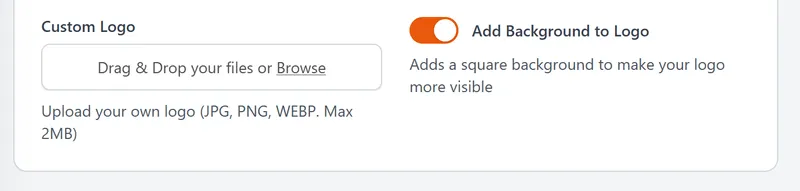
On LinkShortener.io, QR codes with your logo in the middle are a paid feature from Basic ($13 a month); the upload accepts JPG, PNG and WEBP images up to 2 MB.
How far away can a QR code be scanned?
The working rule of thumb is a 10:1 distance-to-width ratio: plan for a scan from no more than ten times the code's own width.
By that rule a 3 cm code scans comfortably at 30 cm, which is fine for a business card or menu. A poster read from 3 metres needs a code 30 cm wide; a billboard read from 20 metres needs 2 metres of code.
Lighting, contrast and viewing angle all pull on that figure, so test at final size. Our chart of QR code sizes by viewing distance and the QR code size calculator turn the rule into print sizes.
Frequently asked questions
How far away can you scan a QR code?
Up to ten times the code's width, by the 10:1 rule used for print. A 5 cm code works at 50 cm, and one meant to be read from 10 metres should be 1 metre wide. Denser codes must be proportionally larger, so their modules stay big enough for a camera to resolve.
What is a dynamic QR code?
A dynamic QR code encodes a short redirect URL rather than the final destination, so scans pass through that redirect and are forwarded onwards. You can therefore change where the code points at any time without reprinting it, and track every scan.
How do I add a logo to a QR code?
Set the error-correction level to H (LinkShortener.io switches to H by itself once a logo goes in), place the logo centrally at no more than 20% of the code's area, and keep clear of the three corner finder patterns and the timing rows. Error correction reconstructs the covered modules. Always test the exported file on more than one phone before printing.
What is a QR code generator?
A QR code generator is software that performs the encoding for you: text to bits, error-correction codewords, version and mask selection, then an image. Dynamic generators also create and host the redirect that makes a code editable and trackable.
Can a QR code be changed after printing?
The printed pattern can never change: it is ink on a surface. But if it is a dynamic code, the destination can still be changed, because the pattern only encodes a redirect, if your plan allows editing: on LinkShortener.io that means Pro ($34 a month) or higher, and on Free or Basic a code keeps its first destination. A static code's destination is fixed permanently once printed.
Do QR codes expire?
The symbol itself never expires; it is encoded text and will decode identically in decades. A static code keeps working as long as its destination page exists. A dynamic code depends on the redirect service continuing to run, so its lifespan is tied to your provider. LinkShortener.io puts no time limit on links and codes made on a free account, and our guide to why QR codes stop working covers the exceptions.
What is the format information in a QR code?
Format information is a 15-bit field that tells the scanner how to read everything else: 2 bits name the error-correction level, 3 bits pick one of the 8 masks, and 10 bits of BCH error correction protect those 5. The 15 bits are then combined by XOR with the fixed pattern 101010000010010, so the field can never come out all light. It is written twice, once around the top-left finder pattern and once split between the other two, so one scuffed copy still leaves a readable one. From version 7 up, codes add 18 bits of version information, also written twice.
The LinkShortener.io QR code generator runs the six encoding stages above for you: you type the destination, and the mode, codewords, mask and format bits are all settled before the code appears on screen. The steps after the download, down to the right print width for a restaurant table or receipt, are spread across all our QR code guides.