Quick answer
You track clicks on short links by sharing a LinkShortener.io short link instead of the full address: each click reaches our redirect server first, is counted there, and the visitor is sent on to your page a moment later. Nothing has to be installed on the destination, and scans of a dynamic QR code work exactly like clicks, since the code carries a short link too. A free account, which asks for no card and covers 20 links or QR codes a month, gives every link its own click report: this week’s clicks beside the all-time count, which countries sent them, how many were mobile rather than desktop, and the hours (UTC) and days when people clicked most. No report can tell you who clicked, and a scan that never passes through a redirect, such as one of a static QR code, cannot be counted at all.
A short link is not really a link to your page but a redirect. When someone clicks exmpl.co/spring, the request goes to the shortener's server first. That server looks up the code, writes a record of the event, and then sends back a redirect response (a 301 or a 302, depending on the service) telling the browser where to go next.
The browser follows it, the visitor lands on your page, and the whole round trip takes a fraction of a second. That extra hop is the entire mechanism: because every click passes through a server before reaching the destination, every click can be counted. You do not switch tracking on. It happens as a side effect of how redirects work, which is what lets a short link double as a link click counter.
Click counting like this comes into its own when one page goes out through several channels at once, a charity poster, a newsletter footer and a bio link: a separate link for each channel turns one total into four that can be set against each other, spending four of the 20 links or QR codes a free account allows each month. The method has two blind spots: it never names the person who clicked, and it cannot reach a static QR code that has already been printed.
What does a short link record when someone clicks?
The request behind a click hands the shortener four useful details: the user agent, the referring page, the IP address and the moment it arrived. They are read in the split second before the visitor is sent onwards:
- The user agent string is a line of text the browser sends describing itself. It is how a report tells someone on an iPhone from someone at a Windows desktop. Browsers have been reducing the detail in this string for privacy reasons, so device reporting is a reasonable guide rather than a forensic record.
- The referrer is the
Refererheader, which names the page the click came from, so you can tell LinkedIn from your newsletter. It is frequently absent: apps, privacy settings and messaging platforms often strip it. - The IP address is used to look up an approximate location, then typically discarded, truncated or hashed. Under UK and EU data-protection law an IP address can be personal data (the ICO lists IP addresses among online identifiers), so check how your provider stores it.
- The timestamp is the moment of the click, which builds your timeline and shows the hours and days your audience is actually active.
None of this requires a cookie, a tracking pixel or a script on the destination page. The measurement happens at the redirect, before the visitor reaches the site. So you can track a link to a page you do not own and could never install analytics on: a press article, a partner's product page, an app store listing.
Does a 301 or a 302 redirect change your click count?
The choice of status code can change it. A 301 says the move is permanent, and browsers are allowed to cache it, sometimes for a very long time. After that, the next click skips the shortener and goes straight to the destination: the visit still happens, but nothing records it, so a regular visitor's tenth click may never reach your report.
A 302 is a temporary redirect. It is not cached by default, so the browser asks the server again every time. Every click reaches the server, so every click is recorded. You can also repoint the link later, with the change taking effect immediately.
Services do not all make the same choice. The argument for a 301 is search: Google’s guidance on redirects says a permanent redirect shows the destination in its results, while a temporary one keeps showing the source address. It is a real trade-off: choose 301 and you may under-count repeat clicks and lose reliable control of the destination. LinkShortener.io takes the other side of that trade: every short link answers with a 302, so a regular visitor's tenth click is counted like the first.
What can you see, and what stays hidden?
You can see the click, never the clicker. Depending on the tool and the plan, that means total clicks and scans; approximate location, usually reliable at country level and much less so at city level; device type; the referring source when it is passed; and when the clicks happened.
You cannot see: who the person is. A short link does not give you a name, an email address or a phone number, and it cannot tell you which subscriber clicked unless you generated a unique link per recipient. IP-based location is an estimate. VPNs, corporate networks and mobile carrier routing all place people somewhere they are not.
One more caveat: not every recorded click is a human. Email security scanners, chat apps generating link previews and crawlers all fetch links automatically. Most tools filter known bots, but none catch everything, so treat very small numbers with scepticism.
LinkShortener.io deals with the obvious cases before they reach your report. A request whose user agent matches a known bot or crawler is not counted, and nor is a request that sends no user agent at all. The check relies on what the visitor declares, though, so a security scanner presenting itself as an ordinary phone can still slip into the total. If exmpl.co/spring shows two clicks a minute after the newsletter goes out, give it an hour before reading anything into them.
How do you count scans of a QR code?
Through the same redirect, provided the code is a dynamic one. Instead of your destination, a dynamic QR code holds a short link, so a scan opens that link, hits the redirect server, is recorded, and the phone is forwarded on. A scan is a click with a camera in front of it: same mechanism, same data, same dashboard.
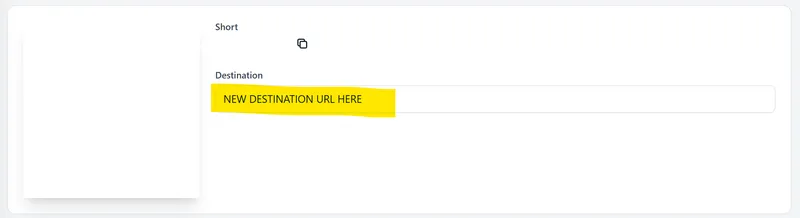
A website-link QR code made in LinkShortener.io encodes a short link, so you can track QR code clicks in your dashboard, exactly like short-link clicks. That short link in the middle is also what lets you repoint a printed code without reprinting anything, although changing where a link sends people is a Pro feature ($34 a month).
A static QR code encodes the destination URL directly. There is no server in the middle, so nothing can be recorded and nothing can be changed. No tool can retrospectively tell you how many times an already-printed static code was scanned. That is the most common disappointment in QR campaigns, and why any QR code generator built for measurement produces dynamic codes by default.
UTM tags: what happens after the click
Short-link analytics stop at the moment of the click. UTM tags on short links pick up the story on the other side.
UTMs are five optional parameters you append to the destination URL. Analytics platforms such as Google Analytics read them and use them to label the visit:
utm_source: where it came from (newsletter,linkedin)utm_medium: the channel type (email,social,qr,sms)utm_campaign: the specific push (summer_sale_2026)utm_term: a keyword, mostly used for paid searchutm_content: which version or placement (header_button)
A tagged URL looks like this:
https://www.example.com/summer-sale?utm_source=newsletter&utm_medium=email&utm_campaign=summer_sale_2026&utm_content=header_button
Shorten that and your audience still sees a tidy short link, while the tags travel behind the redirect. On LinkShortener.io, tags already sitting in the destination address arrive at the page intact, and our UTM builder will assemble them for you if you would sooner not type utm_campaign by hand. The division of labour is simple: the short link measures what happened before the site; the UTM tags measure what happens on it. Use both and you can follow a visitor from a poster in a shop window to a page view and onwards.
Getting conversion data from short links
A shortener records a click. It cannot, on its own, know whether that click became a sale, because the purchase happens on a different system entirely. Attribution needs a chain:
- The short link records the click and passes the UTM tags through.
- Analytics on the destination site reads those tags and attaches them to the session.
- Your ecommerce platform or analytics goal records the sale or sign-up against that source.
Break any link in the chain and the sale becomes anonymous traffic. It breaks when someone clicks on a phone and buys on a laptop, when a visitor declines analytics cookies, or when an in-app browser blocks the handover. Low-tech fallbacks help: a dedicated landing page per channel, or a discount code unique to each poster, will tell you what analytics cannot.
Step by step: shorten, share, measure
- Shorten the URL. Paste the destination into your shortener and create the link. Tracking is on from that moment; LinkShortener.io has no setting to switch on. Open the link once yourself before you share it: your test click counts like anyone else's, so it proves the link works, and you will know the first click in the report is yours.
- Add UTM tags before you share. Retro-fitting them means re-sharing the link. Agree lower-case naming with your team and stick to it.
- Use one link per channel. The highest-value habit here: the same destination shared through four different short links tells you which of the four is working, whereas one link shared four ways tells you nothing.
- Read the report in order. Headline count first, then the trend across the week, then the busiest hours and days, then the device split, then the countries. Ask what changed, not just what the total is.
- Act on one thing. Move the next post to the day the report says your audience is awake, fix the mobile experience if that is where the clicks are, or cut the channel that delivered nothing.
How much click data does a free plan let you see?
Click data on a free plan depends entirely on whose free plan it is. TinyURL shows you none of it, Short.io stops at 50,000 clicks in a month, and a free LinkShortener.io account puts no ceiling on the count at all. Every free plan below also limits how many links you can make, but the bigger difference is how much of the click data each one lets you see. Each figure below comes from that provider's pricing page (Rebrandly, Dub, Short.io, TinyURL), read on the date given:
- Rebrandly free: shows detailed analytics for 100 clicks a month, though its links go on redirecting past that point (read 11 September 2026). On a free LinkShortener.io account, click 101 and every click after it still reach the report, and our page on how we compare with Rebrandly sets out the rest of both free plans.
- Dub free: 1,000 tracked events each month, with analytics kept for 30 days (read 11 September 2026).
- Short.io free: 50,000 tracked clicks every month (read 10 September 2026).
- TinyURL free: records no clicks at all; its pricing page puts tracked clicks on the $9-a-month Pro plan (read 10 September 2026).
The point is to know which limit applies to you before a campaign runs rather than afterwards. Pricing and plan structures change often, so confirm the current terms with the provider. History matters as much as volume on a long campaign: a 30-day analytics window, which is what Dub's free plan lists, loses the first weeks of a three-month poster run before the run ends, but on LinkShortener.io old clicks stay in the report until the account is closed, whichever plan you are on, so the spring poster's link still shows its clicks when you set it against the autumn one's. For a side-by-side of the reports themselves, see our guide to link shorteners with analytics.
Questions about measuring short links and QR codes
How do URL shorteners track clicks and collect data? The short link points at the shortener's server rather than your page. When the request arrives, the server logs the event (time, approximate location from the IP address, device and browser from the user agent, referrer where available) and then issues a redirect to the real destination. No script or cookie is needed on the destination site, because the measurement happens during the redirect. Whatever the plan, LinkShortener.io reports give you totals rather than individual visitors, and no report or export shows a visitor's IP address or browser details.
How do I track the click-through rate of a shortened URL? A shortener gives you the clicks, which is the top half of the sum. For a rate you also need the denominator (emails delivered, impressions served, posters printed), and that comes from the platform that did the sending. Divide clicks by that figure. Use a separate short link per channel or you will not be able to split the numerator sensibly.
Can I monitor short link performance in real time? Not second by second. Each click is captured during the redirect and added to the report once it has been processed, and the report page does not update itself, so reload it to see the newest clicks. That still makes short links useful during live moments such as a product launch, an event or a sale, when you want to see the response while you can still do something about it.
Which services provide analytics for shared links and QR codes? Most shorteners do, including Bitly, Rebrandly, Short.io and Dub. They differ far more in their ceilings than in their features, so compare on how much data each plan lets you view. LinkShortener.io never stops counting clicks and scans at some monthly limit, free accounts included, and branded custom domains start at $13 a month.
How do I get conversion data from my short links? The shortener attributes the click; something on the destination side has to attribute the sale. Add UTM tags to the destination URL and make sure your analytics or ecommerce platform is recording conversions against them. Without that second half, you will know how many people arrived but not what they did next.
Can I track a static QR code I have already printed? No. A static code has your destination baked into the pattern, so scans go straight there without touching a server that could count them. The only fix is to reprint with a dynamic code, which encodes a short link instead. That version can be re-pointed later without another reprint.